High-quality video is an essential part of any media content, whether it’s an article in the press or a branded publication. Background distractions and visual noise can weaken your message and pull the audience’s attention away from what really matters. Pippit’s video background remover makes the process simple: it automatically removes unwanted backgrounds and digital “noise,” so your publications look professional and highlight your core message.
Understanding Noise in Videos
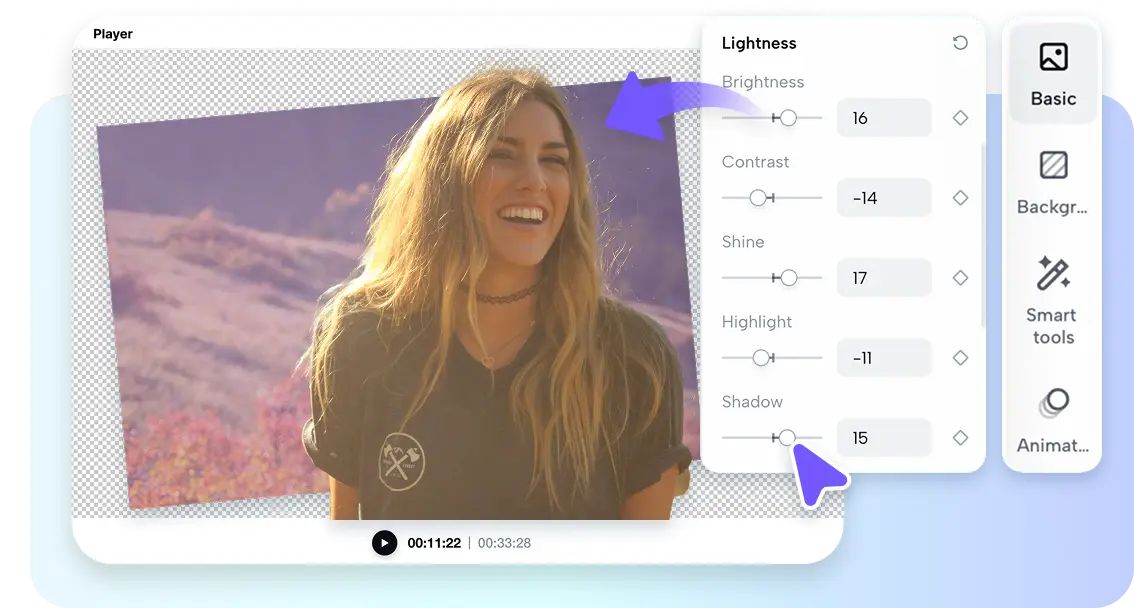
Videos noise is common because of dark conditions or high compression. These problems produce jagged textures and distortion of colors that distract the viewers. Poor visual consistency decreases professionalism and makes your content appear in a hurry or unprofessionally made. This trade-off is not an option in brands that depend on visual communication. Clean production is equated with credibility and trust among the viewers. Eradication of noise is thus not only an issue of clarity- it directly affects the way individuals interpret your brand name. Sharp, consistent videos reinforce your message and keep the attention on your subject.
Pippit’s Built-in Noise Reduction Tools
Pippit incorporates intelligent noise-cancellation into its editing package. The system identifies and attempts to remove noise in the moving backgrounds automatically without interfering with the subject. This is a balance that is very important since you must be clear whilst having natural detail. In comparison to typical tools that obscure the whole frame, Pippit makes the subject to be sharp. The platform also integrates both a background removal and noise suppression to create a full cleanup. At the same time you can eliminate undesired environments and decrease digital grain to produce a smooth output that can be used professionally.
Steps to Get Noise-Free Clips Using Video Background Remover
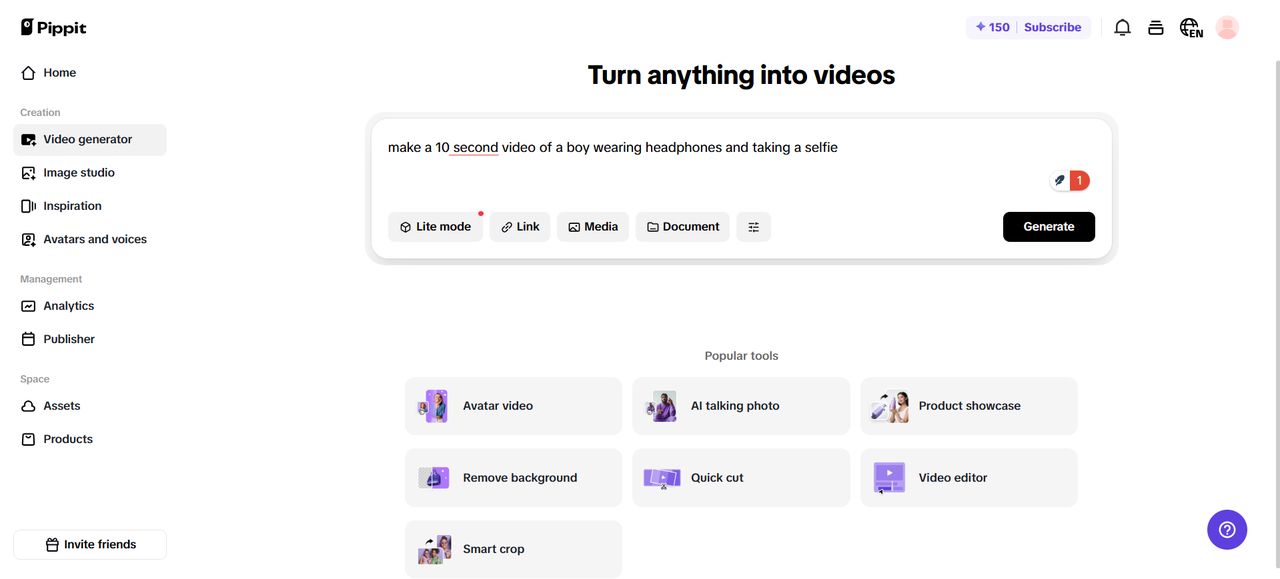
Step 1: Input your prompt and visuals Access Pippit, sign in, and open the “Video generator” tab. Add a text prompt that describes your clean, noise-free clip. Upload reference visuals through the “Add media” tab. You can upload from your device, phone, Dropbox, or even links. Assets are available too. Once chosen, press “Generate”.
Step 2: AI builds your polished clip
Pippit AI video generator takes your input and generates a smooth clip. It collaborates with your text cue and images, and it manages the rhythm, transitions, and improvements. It automatically adds avatars, voice, captions, lyrics and images. Click edit when you want to change details. This takes you to the editing interface.
Step 3: Remove unwanted background noise visually
Click your video and navigate to “Smart tools”. Select “Remove background” and choose auto removal or chroma key. This will eliminate visual noise and give your clip a neat backdrop.
Then adjust captions, resize, or add effects. Once your video feels noise-free and clean, click “Export”. Share instantly on TikTok, Instagram, or Facebook with “Publish” or save it with “Download” in your desired format, resolution, and quality.
Enhancing Clean Visual Quality
Once noise is eliminated, you can go further and sharpen it up to a fine finish. Pippit lets you bring back minor textures to ensure that your video does not look over-smoothed. The other useful technique is the use of blurred backgrounds. This minimizes distraction and makes the subject stand out. You may also add sharp audio to create a whole effect. Use of sound, which is well edited, in combination with visuals makes your clips look professional throughout. Pippit also has a video trimmer that enables you to trim off any unwanted content to ensure that your message is to the point.
Imaginative Possibilities in Silent Videos
Silent videos create the possibility of numerous creative projects. You are able to create quality tutorials and explaner videos that capture the attention of your audience without any distraction. When visual noise is removed, promotional adverts appear more like movies and are therefore used to make products remarkable. Clean visuals also make a consistent quality on various platforms, be it on Tik Tok, Instagram, or YouTube. You can match the clean sounds to the clean pictures with the help of an editing tool such as the audio trimmer, which ensures your viewers have a smooth ride.
Advantages of Noise-Free Backgrounds
The advantages of noise-free backgrounds working are obvious. One, they enhance storytelling by ensuring you remain on your topic. Removing distractions makes the viewers focus entirely on the message. This concentration also enhances retention, where the audiences remain entertained with refined and professional-appearing content. In the long run, clean video output enhances brand credibility. Consumers believe and appreciate brands which invest in quality. Pippit has advanced editing capabilities which allow you to accomplish this without having to possess a lot of technical skills.
Conclusion
Silent manufacturing provides you with a real competitive edge in the new digital world that is so busy. Removing the distractions of the background and minimizing digital grain, your videos shine through the right reasons. Pippit has a significant role in this as it combines effective editing features and easy design. The combination of noise reduction and background elimination makes it an effective tool to creators of all levels. When it is time to produce professional videos that will keep the audience engaged and increase the value of the brand, Pippit offers the tools that you can use to do it.