To attract more users, your website should appear at the top of the search results and look appealing in the SERPs. Some websites stand out on the results page because they include photos, business hours, or event listings. Google, Bing, and AI platforms like ChatGPT need to understand your content before they can show it to users. They’ve improved in this area over time, but they can still benefit from explicit signals that eliminate any ambiguity. Explicitly labeling your content with schema markup tells search systems exactly what they’re looking at. This could be a product, a review, an event, or a local business.
What is schema markup?
Schema markup is a standardized vocabulary that describes the entities, relationships, and properties of your content. It is a dictionary and set of rules from Schema.org that allow you to explicitly specify who the author is, what the article, product, or service is, and where the facts, prices, ratings, FAQs, etc. are. Schema.org is the reference website that publishes documentation and guidelines for implementing schema markup. While the page looks the same to humans, it becomes a structured knowledge model rather than just text to AI.
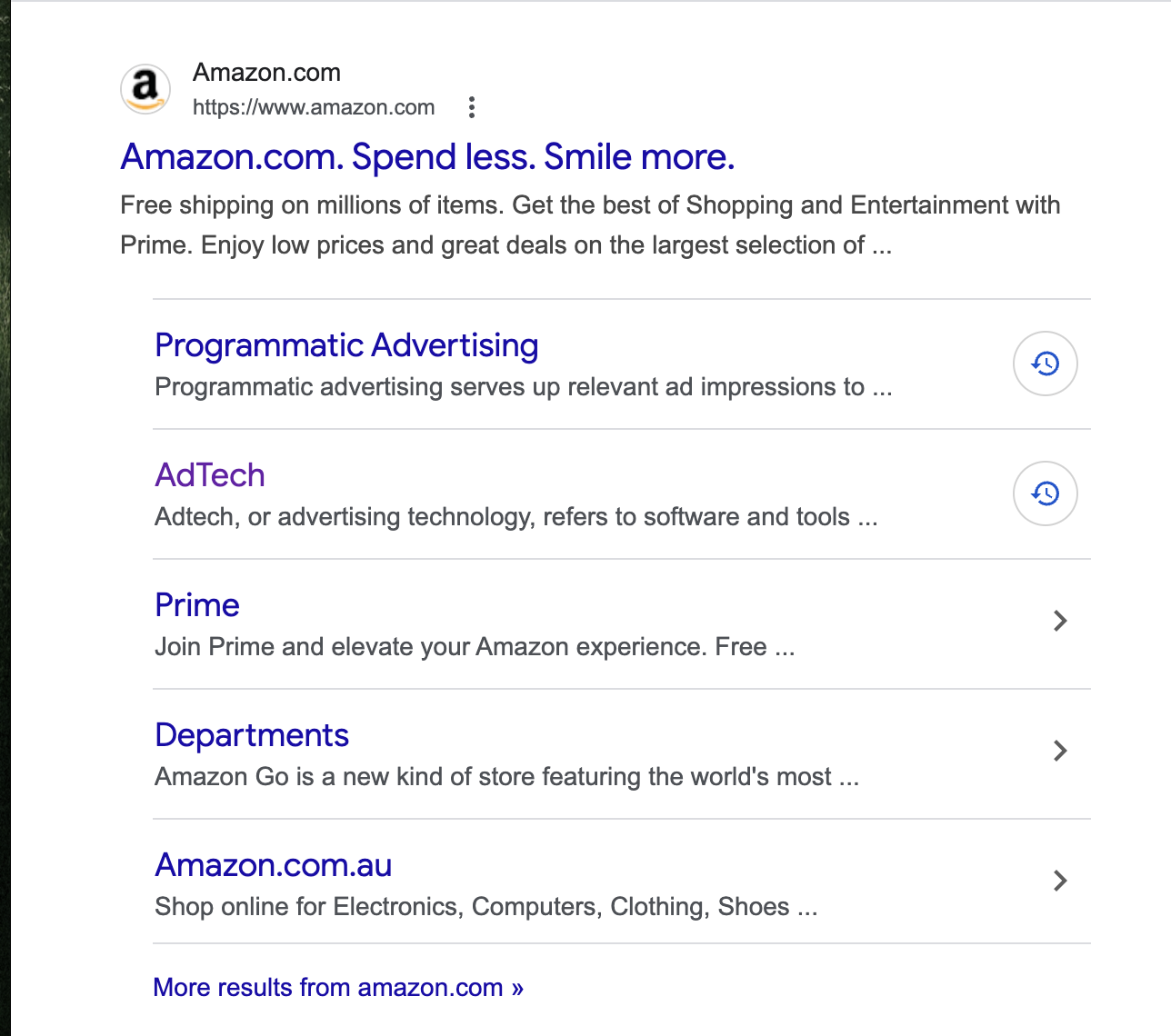
For example, Amazon uses schema markup on its product pages. When you search for a specific item on Google, you may see enhanced details in the search results, such as star ratings, the number of reviews, price, and availability. This structured data helps search engines better understand and present product information in the SERPs in a more engaging way.
How does schema markup work?
Schema markup adds structured data to your website’s code, allowing search engines to more easily read and interpret your content. Rather than letting Google or Bing guess what a piece of information represents, you can clearly define it, whether it’s your business location, the area you serve, a product, an event, or a news article.
For example, you can use a schema to indicate where your business is located and the regions in which you operate. This helps search engines understand your geographical relevance, increasing the likelihood that you will appear in searches conducted within those areas.
You can also mark up a news post about an upcoming event. When someone searches for the event, search engines may display a rich snippet with key details directly in the results. This helps answer the user’s query immediately, making your listing more visible and attractive.
Types of schema markup
Schema can be used to enhance many types of content. According to its website, Google currently supports only a handful of the 803 types of schema listed on Schema.org. However, Google has hinted that it may support more formats in the future.
Article
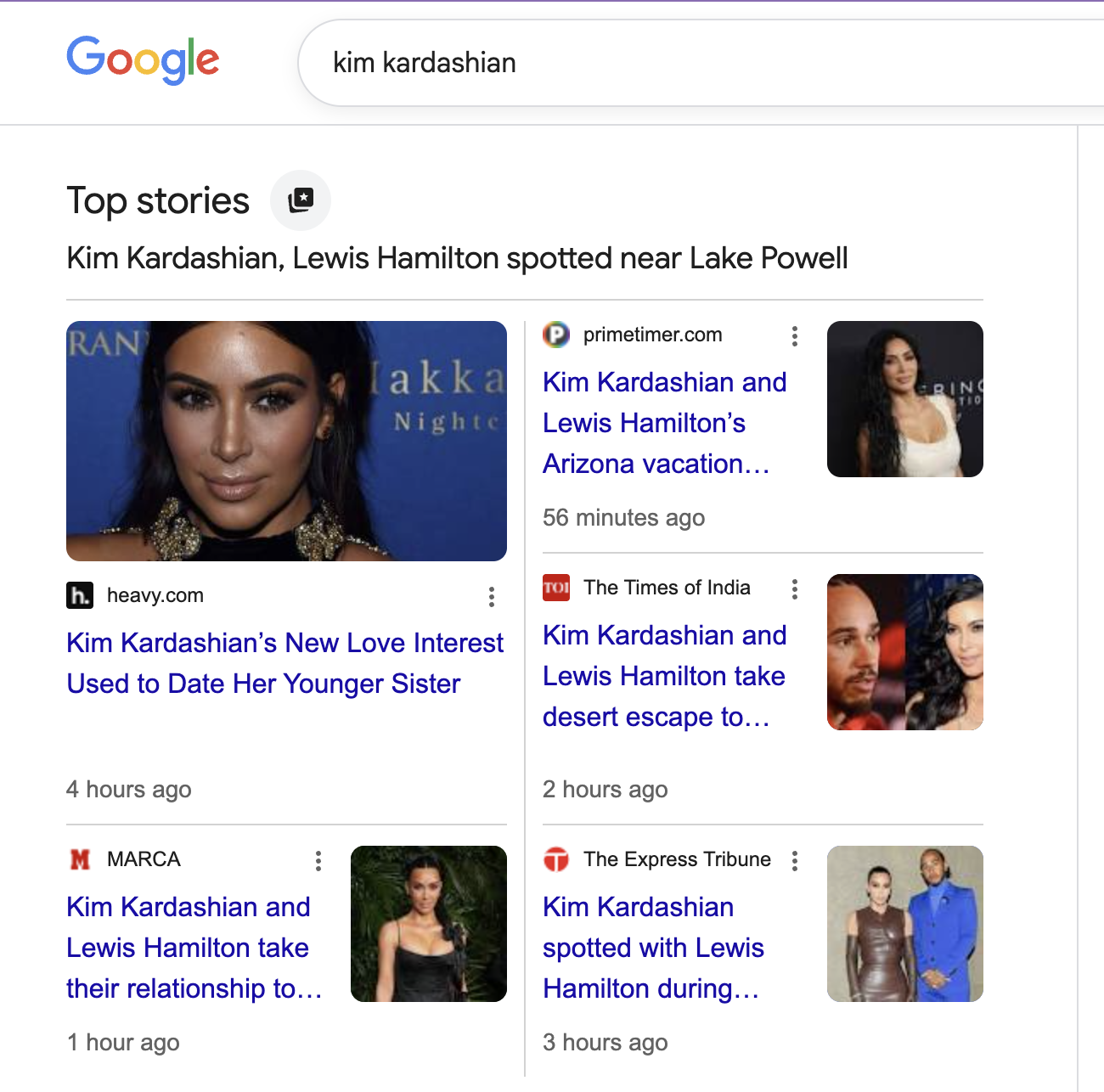
Adding an article schema to your news, blog, or sports articles can help Google better understand your pages. There are two benefits of adding Article schema:
- Helps Google to show better title text, images, and date information.
- Tells Google “more explicitly what your content is about.”
Product
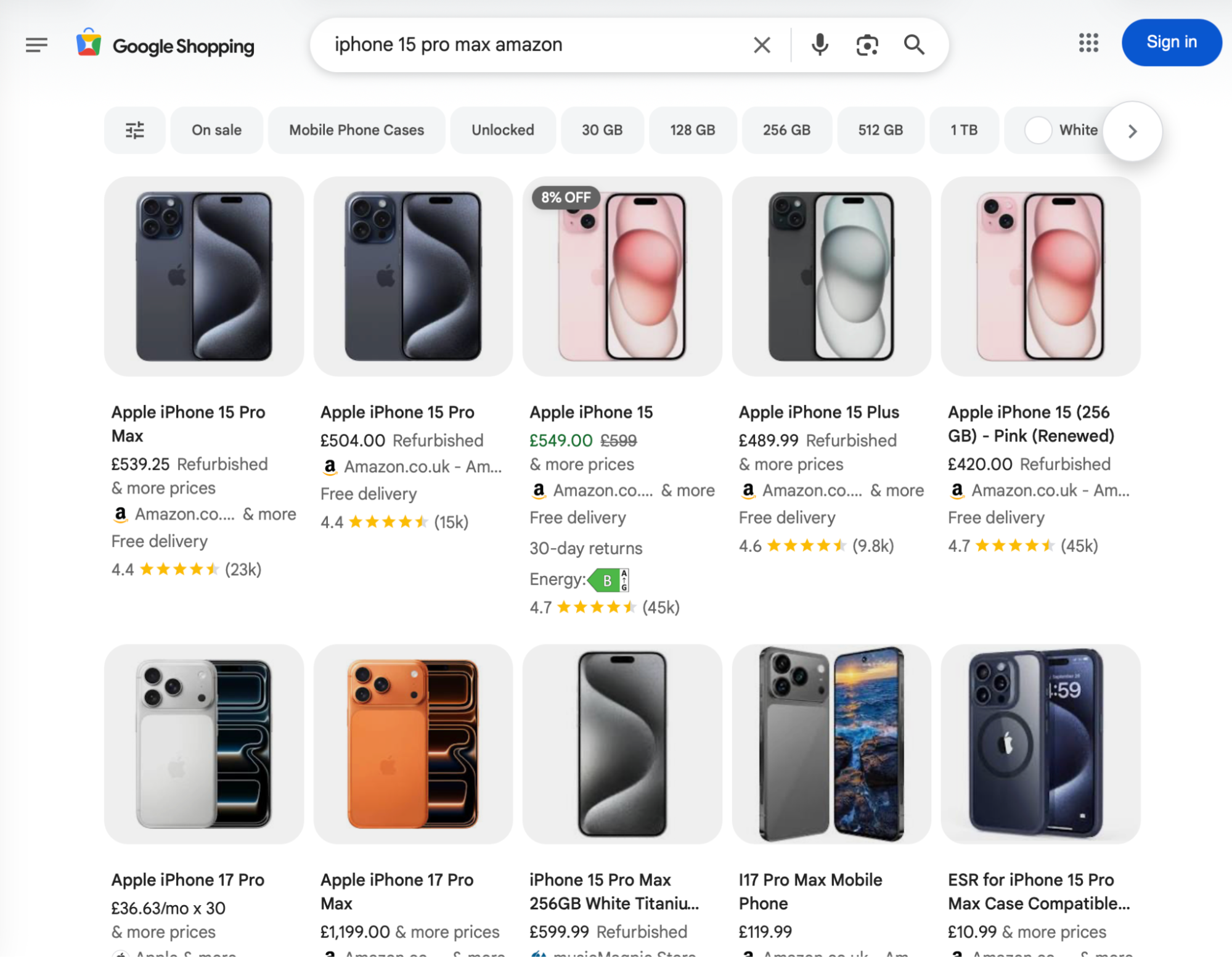
Adding product markup allows users to view price, availability, review ratings, shipping information, and more in search results. This feature is useful for e-commerce stores because it provides potential customers with a detailed view of products before they visit the website. Product-rich results can look like this:

Local business
Local business markup helps Google understand your business. Adding schema allows Google to display your business hours and the different departments within your business. Rich results for local businesses can look like this:

Sitelinks search box
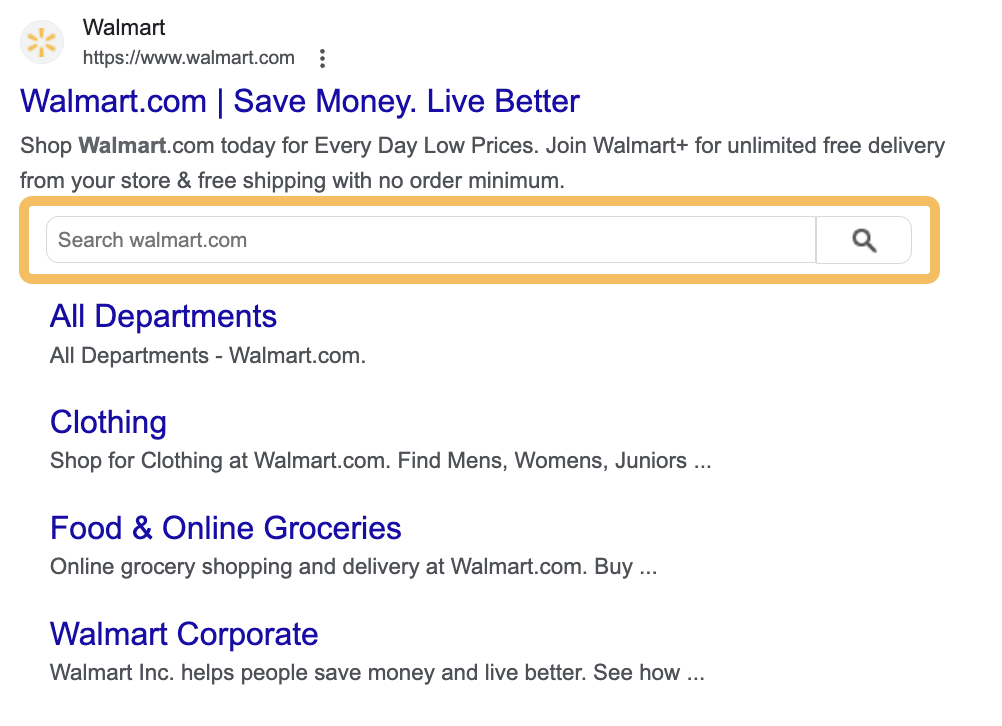
Adding Sitelink markup allows your website’s searchers to see links to your important pages when searching for your brand on Google. Here’s what a rich result for Sitelink markup looks like:
Event
Event-rich results are one of the best ways to generate more interest in your upcoming events, whether they are online or offline. They feature prominently within Google search results. Here’s an example:

Organization
Organization schema markup provides search engines with more information about your business, including its name, logo, address, and contact details. It helps your organization’s details appear in a knowledge panel in Google search results, if your business has one. For example:

Merchant listing
Merchant listing markup is a type of product markup for product pages where users can make purchases. It can display key purchase-related details, such as:
- Pricing and discounts
- Stock availability
- Shipping and returns
How to add schema markup to your website?
If your site runs on a content management system (CMS) like WordPress, you can either manually insert schema into your HTML or rely on plugins.
Step 1: Use Google’s structured data markup helper
Go to Google’s structured data markup helper. Choose a schema type, enter your URL, and click “Start Tagging.” The webpage will be displayed on the left. The data items for markup will appear on the right.
Step 2: Add schema markup to your page
Mark the section of your page that you’d like to highlight using the tool. For example, when marking up an article, select the headline and then choose “Title” from the pop-up menu. Then, the tool will place the article’s title next to “Title” on the right-hand side.
Step 3: Generate the HTML
Once you have finished marking up your page, click the “Create HTML” button located in the top right corner of the screen. By default, you’ll receive JSON-LD markup (Google’s recommended format), but you can switch to Microdata using the drop-down menu.
Step 4: Add schema markup to your website
Now that you have your code, add the schema markup to the HTML head section of your webpage. You can easily copy the markup from the tool. If you use a CMS like WordPress, you can install a plugin such as SchemaPro, Rank Math, or Yoast to add schema markup without editing HTML.
Yoast SEO, for example, generates organization schema using your business name, logo, and other details from the plugin’s settings. It then inserts the schema into your website’s code.
Step 5: Check your markup for errors
Use Google’s rich results test to validate the schema markup. Enter your URL or paste the generated schema markup into the tool to confirm its validity. Errors, warnings, and detected schema markup will be displayed on the right side of the screen.
If you need to fix any errors, you can edit your code directly on the left side of the page. After making changes, click the “Run Test” button at the bottom of the page.
Top schema markup use cases and practical tips
Starting strategically
Schema.org offers an extensive range of types and properties, which can be overwhelming at first. A practical approach is to start with the structured data types supported by Google and focus on the templates that generate the most traffic or revenue.
Only select the properties relevant to your content, and complete all required fields. You can expand gradually as the site structure evolves.
Choosing the right format
JSON-LD is the preferred format for schema markup. It’s officially recommended by Google, easier to manage, and cleaner from a development perspective compared to microdata or RDFa. JSON-LD keeps structured data separate from the visible HTML, reducing the risk of breaking layouts and simplifying updates. JSON-LD provides flexibility and scalability without adding unnecessary technical complexity for most websites.
JavaScript frameworks
For React or other JavaScript websites, implementation requires additional attention. Ensure structureddata renders properly so search engines can access it. Tools like React Helmet inject JSON-LD into the head section. Verify markup is present in the HTML and not dependent on interaction. If search engines can’t crawl the output, the schema will not work.
Sitewide vs. Page-Specific Schema
Some schema types can be implemented sitewide. For instance, the Organization schema is typically placed in the footer or included across templates to reinforce brand and entity signals consistently.
However, other types, such as BlogPosting, Product, Service, and FAQPage, should be implemented at the template level. These types must reflect the visible content of each page. Structured data should never contradict on-page information. Accuracy and consistency are critical for credibility and long-term SEO value.
Using Google Tag Manager
Schema markup can also be deployed via Google Tag Manager. This method enables the selective loading of structured data on specific pages without altering the core codebase. This method is useful for marketing teams that require flexibility.
However, the GTM container must be placed correctly within the head section, and developers must ensure that the structured data renders correctly and is accessible to search engines after deployment. As with any implementation method, validation is essential.

Frequently Asked Questions
What is schema markup in simple terms?
Schema markup is structured data added to a webpage to help search engines and AI systems better understand its content. Rather than having to guess what information a page contains, search engines receive clear signals indicating whether a page is an article, product, event, service, or business.
Does schema markup improve rankings?
Schema markup is not a direct ranking factor. However, it can improve how your page appears in search results, increase click-through rates, and facilitate content interpretation. Over time, clearer signals can support better SEO performance.
Is JSON-LD better than microdata?
Yes. Google recommends JSON-LD because it is easier to implement, maintain, and scale. It also keeps structured data separate from visible HTML, which reduces technical complexity.
Can schema markup help with AI search results?
Yes. AI systems rely on structured signals to interpret entities, context, and the relationships between pieces of information. Using a schema reduces ambiguity and increases the likelihood that your content will be correctly classified and used in AI-generated responses.
Which schema types are the most important?
The most valuable schema types depend on the type of website you have. For content sites, the Article and FAQPage types are essential. For business websites, Organization and LocalBusiness are key. For e-commerce sites, the Product, Offer, and Review types are critical. BreadcrumbList is useful for almost all structured websites.
How do I check if my schema works?
Use Google’s Rich Results Test or Schema Markup Validator to verify that your structured data is implemented correctly and is eligible for enhanced search features.